
Top Computer Connectors for Hobbyist Projects - Guide for Makers (South Africa)
Learn which computer connectors hobbyists use - USB, headers, IDC/FFC, barrel and JST. Practical wiring, troubleshooting and local sourcing tips for South Africa.
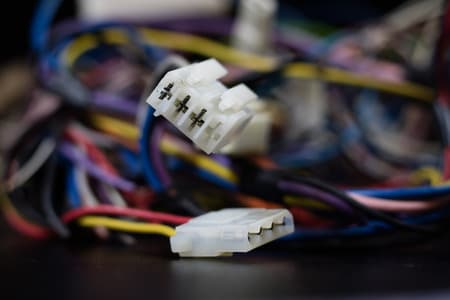
Choose by Function
Match connectors to power, signal, size and mating frequency needs.
Prototype with 2.54 mm
Breadboard-friendly headers simplify development and testing.
Check Local Stock
Verify availability and branch pickup to avoid lead-time delays.
Overview: Why connector choice matters for hobby projects
Connectors are small components with big impact: they affect reliability, ease of assembly, repairability and signal integrity. For South African makers, students and technicians working on microcontroller or single-board computer projects, picking the right connector helps avoid pinouts confusion, voltage mistakes and wasted time while waiting for parts. This guide covers the most common computer-related connectors used in hobby projects, practical selection advice, sample wiring diagrams and local sourcing notes tailored to Communica's stock and branches.
Common connector families covered
- USB (Type-A, Type-B, Micro, Mini, USB-C)
- GPIO/Single-board header pins (2.54 mm / 0.1")
- Ribbon/IDC and FFC/FPC flat cables
- DC barrel jacks and coax power connectors
- SATA/data-style and SMB/SMT signal connectors used in some peripherals
Connector basics and selection criteria
When choosing connectors, consider electrical ratings, mechanical retention, mating cycles, size, and availability. For digital signals, impedance and shielding matter; for power, current rating and contact resistance are critical. Always confirm pinouts for your board and choose keyed connectors where possible to avoid reversed connections.
Practical selection checklist
- Voltage and current: match connector rating to your power rail (use a safe margin).
- Pitch and footprint: 2.54 mm headers are standard for breadboards and prototyping.
- Mating cycles: use connectors rated for frequent disconnection where needed.
- Shielding: prefer shielded USB or coax when dealing with high-speed data or noisy environments.
- Physical orientation: vertical vs right-angle connectors to fit enclosures.
- Availability & lead time: check local stock and branch pickup options to avoid delays.
Local buying note
Before ordering, confirm stock and collection at the Samrand warehouse or other branches. Use the Communica collections index to browse connector categories and the Shop by Brand page for compatible manufacturers.
Browse connector categories | Explore brands
USB connectors - expectations and tips
USB is the most common interface for power and data on small computers. Choose the right USB variant by function: supply-only projects can use micro or barrel power, while data projects require the correct USB signalling type. USB-C introduces reversible plugs and power-delivery capability but may require configuration resistors and PD controllers for higher currents.
Quick USB selection guide
- Type-A / Type-B: legacy host/device connectors for peripherals.
- Micro/mini USB: common for small modules; check current capability.
- USB-C: use for modern single-board computers; confirm CC resistor wiring for power roles.
Connector comparison table
| Connector | Typical use | Max current (typ.) |
|---|---|---|
| USB Type-A | Host ports, legacy peripherals | ~1-2 A (depends on spec) |
| Micro-B | Mobile power & low-speed data | ~1-2 A |
| USB-C | Modern power/data, reversible plug | Up to several amps with PD negotiation |
When wiring USB power for Raspberry Pi or similar boards, verify the cable's conductors and voltage drop for runs longer than 1 metre. For USB-C power delivery, additional circuitry is often required - for many hobby builds, a correctly rated USB-C breakout or power module simplifies integration.
Related parts and supplies can be found in Communica's All Products index and branch stock listings to check lead times and collect in-store.
View full product index
Related Connectors, Wire & Cable Products
Discover quality connectors, wire & cable products related to Top Computer Connectors for Hobbyist Projects - Guide for Makers (South Africa)

Adaptor Hdmi-female To Hdmi(micro)-male + Hdmi(mini)-male T-shape Gold Plated Contacts In Black
Adaptor Hdmi-female To Hdmi(micro)-male + Hdmi(mini)-male T-shape Gold Plated Contacts In Black

Adaptor Hdmi-female To Hdmi(micro)-male Straight Gold Plated Contacts In Black
Adaptor Hdmi-female To Hdmi(micro)-male Straight Gold Plated Contacts In Black


Adaptor Hdmi-female To Hdmi(micro)-male 90° Upright Gold Plated Contacts In Black
Adaptor Hdmi-female To Hdmi(micro)-male 90° Upright Gold Plated Contacts In Black

Adaptor Hdmi-male To Dvi-male With 25 Pin Gold Plated Contacts In Black
Adaptor Hdmi-male To Dvi-male With 25 Pin Gold Plated Contacts In Black

Adaptor Dvi (m) 25p To Hdmi A(f)
Adaptor Dvi (m) 25p To Hdmi A(f)


Adaptor Usb(3.0)-male To Usb-female Straight
Adaptor Usb(3.0)-male To Usb-female Straight

Adaptor Hdmi-male To Hdmi-female Right Side Flat 90° Gold Plated Contacts In Black
Adaptor Hdmi-male To Hdmi-female Right Side Flat 90° Gold Plated Contacts In Black
Headers, ribbon and FFC - prototyping and compact connections
2.54 mm headers (commonly called 0.1") are the backbone of hobby prototyping: compatible with breadboards, jumper wires and many shields. IDC/ribbon (10/20/26-pin) and FFC/FPC flat cables are used to connect displays, cameras and compact boards where space is limited. For a guide on choosing connectors for robotics, see How to Choose Computer Connectors for Robotics Projects.
Practical wiring ASCII diagrams
Example: 4-pin JST-style power connector to a 2.54 mm header (power and ground only):
JST 4-pin     Header (2 pins used)
+5V  ----- o---->  1 (VCC)
GND  ----- o---->  2 (GND)
Example: simple 3-wire FFC to header mapping for a small camera (CLK, MOSI, GND):
FFC pin 1 -> CLK
FFC pin 2 -> MOSI
FFC pin 3 -> GND
Power connectors: barrels, Molex and JST types
For small computers, barrel jacks remain common. Choose the correct inner/outer diameter and confirm polarity. For battery packs and compact modules, wire-to-board JST connectors offer a low-profile solution; Molex KK-series are common for higher current and more robust retention. For more on selecting connectors for DIY projects, check Best Computer Connectors for DIY Electronics Projects.
Connector troubleshooting tips
- Intermittent power: check crimps and solder joints first, then connector contacts for corrosion.
- Incorrect pinout: trace continuity with a multimeter before applying power.
- Signal errors: shorten cable runs, use twisted pair or shielded cables for high-speed lines.
Compatibility, accessories and local sourcing
When building a project, consider accessory parts: mating housings, crimp pins, retaining clips, and strain reliefs. Communica stocks a wide range of connector accessories and tools useful for makers - including crimp tools, header pins and replacement cables. Check branch availability and trading hours if you need immediate pickup.
For a broader search, explore the Communica homepage, branches page and collections to compare options and plan procurement for student labs or small production runs.
Communica homepage | Branches & trading hours
Example parts list for a hobby computer kit (estimates in ZAR)
- USB-C power breakout or cable - suitable for 3 A operation (estimate 50-250 ZAR depending on quality and PD features).
- 2.54 mm male/female header packs - breadboard-friendly (estimate 20-60 ZAR).
- JST-SR or Molex connector kits and crimps - for battery and inline connectors (estimate 40-150 ZAR).
Final recommendations
Start with standard, widely compatible connectors for prototyping (2.54 mm headers, USB micro/C) and move to specialised flat flex or IDC ribbons when space or OEM peripherals require them. Always verify pinouts, use keyed connectors to prevent mistakes and carry spare mating housings when assembling multiple units. For South African makers, checking Communica's stock and branch pickup options reduces lead-time risk for student projects and small runs.
Sources
Communica supplies semiconductors and electronic components to industries such as automotive, electrical, automation, mining, and education.
Disclaimer: This content is for educational purposes only. Product availability, pricing, and specifications are subject to change. Always verify current details on the retailer's website before making a purchase. We may earn affiliate commissions from qualifying purchases.


Frequently Asked Questions
Get answers to common questions about Connectors Wire And Cable
Why Choose Communica?
*Free Shipping
Free shipping for orders over ZAR 1,000.00.
7-Day Returns
Get a full refund if you had the product for less than 7 days.
Quick Delivery
Nationwide delivery within 2 - 4 working days.
