
PICAXE Microcontrollers: The Accessible Path from Classroom to Control System
Explore PICAXE microcontrollers for education and prototyping. Local stock, BASIC programming, and expert support from Communica South Africa.
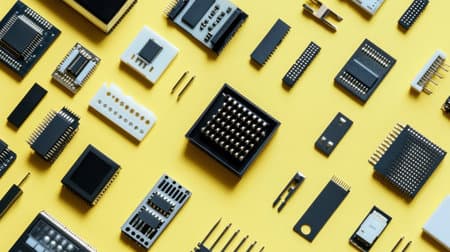
Right Chip for the Job
Match I/O pins and features to your project to avoid over-specifying.
Local Stock, Faster Builds
Collect PICAXE chips and accessories from Communica branches nationwide.
Education-Ready Ecosystem
Free BASIC editor, simulation, and curriculum support for classrooms.
Why PICAXE Still Earns Its Place on the Bench
In a world of Arduino, ESP32, and Raspberry Pi Pico, the PICAXE family might seem like a quiet corner of the microcontroller market. But step into a South African technical high school, a TVET college robotics lab, or a small automation workshop in Gauteng, and you'll often find a PICAXE chip doing the heavy lifting. The reason is simple: PICAXE was designed from the ground up for education and rapid prototyping, and that design philosophy translates into real-world advantages that generic dev boards can't always match.
The PICAXE system pairs a Microchip PIC microcontroller pre-programmed with a BASIC interpreter with a free, lightweight programming editor. You write straightforward BASIC commands - high, pause, readadc - and download them over a simple serial or USB cable. No complex toolchains, no driver nightmares, no cryptic error messages. For a student seeing their first line of code control a real servo, that immediacy matters. For an engineer prototyping a pump controller, it means less time fighting the IDE and more time solving the actual problem.
A Programming Model That Grows With the Learner
PICAXE isn't a toy. The instruction set includes PWM, ADC, serial I/O, I2C, SPI, and interrupt handling. You can start with a blinking LED on a breadboard and scale to multi-sensor data loggers or motor control loops. Because the same language and editor work across the entire range, a learner's code from a Grade 10 project can often run - with minor pin adjustments - on a more capable chip for a Grade 12 capstone. That continuity is rare in the hobbyist world, where jumping from one platform to another often means starting from zero.
For educators, the PICAXE ecosystem includes simulation tools, curriculum-aligned project packs, and a large library of tested example code. This reduces lesson prep time and lets teachers focus on explaining why a circuit behaves the way it does, not just how to wire it. If you're building a lab or updating your maker space, exploring the full range of components and development boards at Communica gives you a local starting point.
Matching the Right PICAXE Chip to Your Project
PICAXE chips are grouped by physical package and I/O count, not by arbitrary performance tiers. The most common families you'll encounter locally are the 08M2, 14M2, 18M2, 20M2, 28X2, and 40X2. Choosing between them comes down to how many inputs and outputs you need, whether you need hardware serial or I2C, and how much program space your logic demands. The table below summarises the practical differences that matter when you're standing at the parts counter or ordering online.
| Model | I/O Pins | Program Memory | Key Features | Typical Use |
|---|---|---|---|---|
| 08M2 | 5 | ~2000 bytes | ADC, PWM, touch, serial | Simple sensors, LED effects |
| 14M2 | 11 | ~2000 bytes | ADC, PWM, I2C, SPI | Robotics, multi-sensor |
| 20M2 | 16 | ~2000 bytes | ADC, PWM, I2C, SPI, serial | Data logging, control panels |
| 28X2 | 22 | ~4000 bytes | Dual serial, I2C, SPI, PWM | Complex automation, LCDs |
| 40X2 | 32 | ~4000 bytes | All above, more I/O | Large control systems |
A common mistake is over-specifying. If your project needs three LEDs and a button, an 08M2 is not a compromise - it is the correct engineering choice. It draws less current, costs less, and fits on a tiny board. Conversely, if you're driving a 20x4 LCD, reading three analog sensors, and communicating over RS-232, the 28X2's dual hardware serial ports will save you from software-serial timing headaches.
Power and Voltage Considerations
PICAXE chips typically operate from 1.8V to 5.5V, but the practical sweet spot for most projects is 3.3V or 5V. At 5V, you get maximum compatibility with legacy sensors and LCD modules. At 3.3V, you can interface directly with many modern IoT modules without level shifting. The programming circuit itself is forgiving: a simple 10k/22k resistor network on the serial line is often all that's needed to protect the chip during download. For reliable operation in electrically noisy environments - like a workshop with motors - add a 100nF decoupling capacitor close to the power pins and consider a reset supervisor if your supply ramps slowly.
Related Sensors & Semiconductors Products
Discover quality sensors & semiconductors products related to PICAXE Microcontrollers: The Accessible Path from Classroom to Control System

Picaxe-20m2 Ic By Picaxe - Compact Microcontroller Chip With 18 I/o And 11 Analog/touch Sensor Channels
Picaxe-20m2 Ic By Picaxe - Compact Microcontroller Chip With 18 I/o And 11 Analog/touch Sensor Channels

Picaxe-28x2 Ic - Enhanced X2 Microcontroller With 22 I/o And 16 Analog Channels
Picaxe-28x2 Ic - Enhanced X2 Microcontroller With 22 I/o And 16 Analog Channels

High-quality Picaxe-28x2 Shield Base
High-quality Picaxe-28x2 Shield Base

Picaxe Chi030 A Small Self Assembly Board To Allow Rapid Prototyping Of Picaxe-18m2 Circuits
Picaxe Chi030 A Small Self Assembly Board To Allow Rapid Prototyping Of Picaxe-18m2 Circuits

Smallest Axe007m2 Picaxe-08m2 Ic With 6 I/o And 3 Analog/touch Sensor Channels
Smallest Axe007m2 Picaxe-08m2 Ic With 6 I/o And 3 Analog/touch Sensor Channels

Picaxe Axe017m2 Picaxe-14m2 Ic With 12 I/o And 7 Analog Channels
Picaxe Axe017m2 Picaxe-14m2 Ic With 12 I/o And 7 Analog Channels

Picaxe Axe015m2 Picaxe-18m2+ Microcontroller Chip With 16 I/o And 10 Analog Channels
Picaxe Axe015m2 Picaxe-18m2+ Microcontroller Chip With 16 I/o And 10 Analog Channels

Picaxe-18x T4 Trainer Board - Analogue And Digital Inputs - Output Devices - Picaxe
Picaxe-18x T4 Trainer Board - Analogue And Digital Inputs - Output Devices - Picaxe
From Concept to Enclosure: Practical Selection Advice
Once you've chosen a PICAXE variant, the next decisions are about the supporting components that turn a breadboard prototype into something durable. Communica stocks the passives, connectors, and power regulation parts you'll need to complete the build - and they're available for collection at branches in Samrand, Pretoria, and Cape Town, which means you can prototype on Saturday and pick up a missing resistor on Monday without waiting for a courier.
For power, a linear regulator like the LM7805 is fine for bench projects, but if you're running from a 12V battery or a solar supply, a switching regulator such as the LM2596 module will keep heat down and efficiency up. PICAXE chips are not fussy about ripple, but your analog readings will be cleaner with a stable rail. For digital and analog input protection, a simple series resistor and a pair of clamping diodes (or a dedicated protection IC) will save your microcontroller when a sensor wire shorts to a higher voltage. These are the kinds of details that separate a project that works once from one that works every time.
Programming Hardware and Cables
You don't need an expensive programmer. The standard PICAXE download cable is a USB-to-serial adapter with a stereo plug that connects to the chip's serial input and ground. Many makers build their own using a cheap USB-serial module and a 3.5mm jack - a practice that teaches soldering and serial communication fundamentals. If you prefer a ready-made solution, Communica carries programming cables and adapter boards that work with the AXE027 and similar interfaces. For educators setting up a classroom, ordering a batch of cables alongside chips ensures every student station is ready on day one. You can browse the full catalogue of development tools and accessories to bundle everything together.
One underrated advantage of PICAXE in a school or small business context is the absence of a complex software installation. The PICAXE Editor is a small download, runs on older Windows machines, and doesn't require admin rights in many configurations. This matters in computer labs where IT policies restrict software installation. Students can also simulate their code before downloading, catching logic errors without risking hardware - a feature that saves both time and components.
Troubleshooting Common PICAXE Issues
Even a forgiving platform has its quirks. The most frequent issue we see is a failed download due to incorrect serial port selection or a missing ground connection between the programming adapter and the target board. Always verify that the stereo plug is fully seated and that the correct COM port is selected. Another common pitfall is using a pin that is input-only for an output function - the 08M2, for example, has dedicated input pins, and trying to drive an LED from them will simply not work. If your program runs but behaves erratically, check for floating inputs: an unconnected input pin can oscillate and trigger false interrupts. A 10k pull-down resistor solves it.
For projects that need to run unattended for long periods, consider brown-out detection and a watchdog timer. PICAXE supports these features in software, and enabling them prevents a transient voltage dip from leaving your controller in an undefined state. If you're building a data logger for a school science experiment, a simple do...loop with a pause and readadc is often all the code you need - but add a decoupling capacitor and a stable reference voltage if you want repeatable readings.
Why Source PICAXE Locally in South Africa
Importing a few chips from overseas often looks cheaper until you factor in shipping, customs delays, and the risk of counterfeit parts. Communica has been supplying the South African market since 1977, and the PICAXE range is part of a broader commitment to maker and engineering education. Local stock means you can order a single chip or a classroom set, pay with a VAT invoice, and collect the same day if you're near a branch. For procurement teams at schools or companies, that predictability simplifies budgeting and reduces project downtime. You can learn more about Communica's history and commitment to local electronics on the about page.
Beyond the chip itself, Communica stocks the supporting ecosystem: breadboards, jumper wires, sensors, Servo motors, LCD displays, and enclosures. This means you can design a complete project without juggling five different suppliers. For educators, the ability to order a single kit list - chips, cables, LEDs, resistors, and power supplies - from one invoice is a significant administrative relief. And because the stock is physically in the country, lead times are measured in days, not weeks. Check the branches and trading hours to plan a collection trip.
A Platform That Respects Your Time
PICAXE doesn't try to be everything. It won't run Linux, it won't stream video, and it won't replace a Raspberry Pi for network-heavy applications. What it does exceptionally well is bridge the gap between a blinking LED and a functional control system, using a language that beginners can read and professionals can appreciate for its efficiency. In South Africa, where access to rapid international shipping can be inconsistent, having a locally supported microcontroller platform with a mature curriculum and a deep component ecosystem is a genuine advantage.
Whether you're a teacher equipping a classroom, a student building a final-year project, or an engineer prototyping a control panel, the PICAXE range offers a low-friction path from idea to working hardware. The next step is simply to match your I/O count and feature requirements to a chip, gather your supporting components, and start writing code. With stock available locally and a community of educators and makers who have already walked the path, you're not starting from scratch - you're joining a proven tradition of accessible embedded control.
Communica supplies semiconductors and electronic components to industries such as automotive, electrical, automation, mining, and education.
Disclaimer: This content is for educational purposes only. Product availability, pricing, and specifications are subject to change. Always verify current details on the retailer's website before making a purchase. We may earn affiliate commissions from qualifying purchases.


Frequently Asked Questions
Get answers to common questions about Sensors And Semiconductors
Why Choose Communica?
*Free Shipping
Free shipping for orders over ZAR 1,000.00.
7-Day Returns
Get a full refund if you had the product for less than 7 days.
Quick Delivery
Nationwide delivery within 2 - 4 working days.
