
Network Cable Installation Tips and Techniques for South African Makers and Technicians
A practical guide for South African makers and technicians on planning, terminating and testing network cable installations - copper and fibre tips, tools and local considerations.
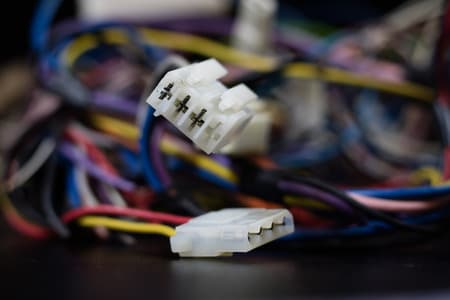
Plan before you pull
Survey distances, conduit access and future bandwidth needs before selecting cable.
Terminate and test
Use correct wiring schemes, test length/pairs and log results for each run.
Choose the right medium
Use Cat6a for 10 Gbps at 100 m, or fibre for long campus/backbone links.
Overview: planning a network cable installation
A successful network cabling project starts with a clear plan that balances performance, budget and local constraints. This guide covers common copper (Cat5e, Cat6, Cat6a) and fibre options, site preparation, labelling and best-practice routing for homes, labs, classrooms and small industrial sites in South Africa. If you need hardware or a quick parts list, view Communica's collections for cabling and connectors at Shop by Category.
Site survey and requirements
Walk the site and note distances, ceiling voids, conduit access, power and potential RF or electrical noise sources. Measure longest cable runs-this determines whether copper is suitable (Ethernet copper has practical limits) or whether single-mode/multimode fibre is needed for longer runs or EMI-prone areas. For branch collection and stock checking, see branch details at Branches & Trading Hours.
Common cable types and when to use them
Choose cable based on speed, distance and environment. For typical maker/education projects and small offices,(Category examples: Cat5e, Cat6, Cat6a). For backbone links or long runs choose fibre (multimode for short campus links, single-mode for long distances). Communica stocks a wide range of brands and parts-browse by brand if you have a preference at Shop by Brand.
| Cable | Typical max link | Common use |
|---|---|---|
| Cat5e | 100 m (1 Gbps) | Home, classrooms, simple labs |
| Cat6 | 55-100 m (1-10 Gbps dependent on environment) | Small offices, higher density |
| Cat6a | 100 m (10 Gbps) | Backbones, future-proofed installs |
| Multimode fibre | 100 m-2 km (depending on modal bandwidth) | Campus links, switch-to-switch |
| Single-mode fibre | Kilometres | Long distance backbone |
Cable routing and physical best practices
- Keep data cables separate from high-voltage power runs-maintain at least 50 mm separation or use conduit where they must cross at right angles.
- Avoid tight bends-follow minimum bend radii: generally four times the cable diameter for copper, larger for fibre.
- Use proper support and cable management to prevent strain on terminations; leave service loops for future moves.
Local note: stock levels for specific cable brands and drum sizes can vary. For bulk projects, check availability and lead times on Communica's full product index at All Products and plan procurement accordingly.
Tools and consumables
- Quality cable tester (wiremap + length + PoE detection)
- Crimp tools for RJ45 / punch-down tools for keystone/patch panels
- Fibre cleaver and termination kit for field splicing
For a curated selection of tools and enclosures relevant to installations, browse Collections to find crimpers, patch panels and wall plates suited to education and maker projects.
Related Connectors, Wire & Cable Products
Discover quality connectors, wire & cable products related to Network Cable Installation Tips and Techniques for South African Makers and Technicians

Hikvision Ds-1ln5e-e/e Cat5 Utp Solid Copper Network Cable
Hikvision Ds-1ln5e-e/e Cat5 Utp Solid Copper Network Cable

Hikvision Ds-1ln6u-g Network Cable Cat6 Utp Solid Copper
Hikvision Ds-1ln6u-g Network Cable Cat6 Utp Solid Copper

Hikvision Hkv Ds-1ln6-uu Network & Communication Cable
Hikvision Hkv Ds-1ln6-uu Network & Communication Cable

Hikvision Hkv Ds-1ln6utc0 Network & Communication Cable
Hikvision Hkv Ds-1ln6utc0 Network & Communication Cable

Utp Cat6e 4pr Solid Cable Blue Cca
Utp Cat6e 4pr Solid Cable Blue Cca

Cat6a 4 Pair S/ftp 22awg High Speed Data Cable 10gb/ps Ethercat, Etherline, Ethernet, Profinet, Green Pvc Jacket Flame Retardant - 100 Ohm
Cat6a 4 Pair S/ftp 22awg High Speed Data Cable 10gb/ps Ethercat, Etherline, Ethernet, Profinet, Green Pvc Jacket Flame Retardant - 100 Ohm

Helukabel Paar-tronic -li-2ycyv Pe-insulated Stranded Data Cable Black 2x2 0.22mm
Helukabel Paar-tronic -li-2ycyv Pe-insulated Stranded Data Cable Black 2x2 0.22mm

Cabcom08f | Comms Cable 8 Core Stranded • 0.45mm2 Each • White Colour (price Per Meter)
Cabcom08f | Comms Cable 8 Core Stranded • 0.45mm2 Each • White Colour (price Per Meter)

Cab08pr,50mscr | Mylar Screened 0.5mm 8pr Grey Pvc Cable (price Per Meter)
Cab08pr,50mscr | Mylar Screened 0.5mm 8pr Grey Pvc Cable (price Per Meter)

Opx It-utp5egy3-pvc | Cat5e Utp P/cord 3 Meter- Grey
Opx It-utp5egy3-pvc | Cat5e Utp P/cord 3 Meter- Grey

Mod Cable 8w Black | Modular Cable 8 Way Black
Mod Cable 8w Black | Modular Cable 8 Way Black

Mod Cable 4w Black | Modular Cable 4 Core Line Cord Black Modular Cable 4 Core Line Cord Black
Mod Cable 4w Black | Modular Cable 4 Core Line Cord Black Modular Cable 4 Core Line Cord Black
Termination, testing and common wiring patterns
Correct terminations and testing reduce downtime. For copper Ethernet use the T568B wiring order in most South African enterprise and maker setups unless another standard is required by an existing installation.
RJ45 wiring (T568B) - pinout and ASCII diagram
Pin: 1 2 3 4 5 6 7 8
T568B: O G O/W B B/W G Br/W Br
Where O=Orange, G=Green, B=Blue, Br=Brown, /W indicates white stripe
Simple formulas and power considerations
Ohm's law and basic power calculations are useful when assessing PoE runs and voltage drop over long copper cables.
Ohm's law: V = I * R
Power: P = V * I
Example: a PoE device drawing 12 W at 48 V requires I = P / V = 12 / 48 = 0.25 A. Estimate conductor resistance and calculate expected voltage drop to ensure device operates reliably-this matters for long runs or thin cable types.
Testing checklist and troubleshooting
- Wiremap to confirm pair continuity and correct pair pairing.
- Length measurement to ensure runs stay within specification limits.
- Insertion loss and return loss testing for high-speed links (Cat6a and fibre).
- PoE test to confirm sufficient voltage under load.
Practical South Africa-focused tips and examples
Example 1: Classroom upgrade - replacing Cat5e with Cat6a patch runs to future-proof for 10 Gbps between switch and local server. Keep patch runs short (under 3 m) to keep costs down, use organised patch panels and label both ends.
Example 2: Maker lab in an older building - where conduit access is limited consider surface-mounted trunking and use shielded twisted pair only if EMI is a proven problem. For campus links with distances over 100 m, use multimode or single-mode fibre to avoid expensive switches mid-run.
Accessory bundles and compatibility guidance
Bundle commonly used items: a spool of cable, a set of RJ45 boots and connectors, punch-down patch panel, and a basic tester. When mixing components, ensure connectors and panels match cable category (e.g., use Cat6-compatible keystones for Cat6 cable to maintain performance).
Post-install documentation and maintenance
- Label both ends with consistent IDs and record test results for each run.
- Keep spare patch leads and a small stock of connectors for quick repairs-check availability and VAT invoice options at Communica's homepage: Communica.
Final troubleshooting tips
If a link is unstable: recheck pair order, test for split pairs, verify the patch panel terminations, and test with a different patch lead to isolate the fault. For fibre, inspect connectors for dirt and ensure proper cleaning before testing.
Sources
- IEEE 802.3 Ethernet Working Group (overview) - https://ieeexplore.ieee.org/document/?utm_source=straider&utm_medium=referral&utm_campaign=prebo-digital
- Ethernet cable (overview and pinouts) - https://en.wikipedia.org/wiki/Ethernet_cable?utm_source=straider&utm_medium=referral&utm_campaign=prebo-digital
- Cabling Installation Resources (practical guides) - https://www.cabling-installation.com/?utm_source=straider&utm_medium=referral&utm_campaign=prebo-digital
- Fibre optics basics and testing - https://www.fiberoptics4sale.com/learning/?utm_source=straider&utm_medium=referral&utm_campaign=prebo-digital
Communica supplies semiconductors and electronic components to industries such as automotive, electrical, automation, mining, and education.
Disclaimer: This content is for educational purposes only. Product availability, pricing, and specifications are subject to change. Always verify current details on the retailer's website before making a purchase. We may earn affiliate commissions from qualifying purchases.


Frequently Asked Questions
Get answers to common questions about Connectors Wire And Cable
Why Choose Communica?
*Free Shipping
Free shipping for orders over ZAR 1,000.00.
7-Day Returns
Get a full refund if you had the product for less than 7 days.
Quick Delivery
Nationwide delivery within 2 - 4 working days.
