
Home Automation & Security Solutions - Secure Smart Homes in South Africa
Design and buy home automation security solutions in South Africa. Learn about cameras, sensors, hubs, PoE, and local stock/branch pickup options from Communica.
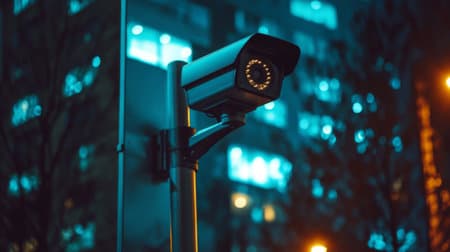
Integrated Security Stack
Cameras, sensors, hub and access control designed to work together.
Local Stock & Support
Plan around local availability, branch pickup and VAT invoicing.
Compatibility First
Choose protocols and power options that match your hub and network.
Overview: Smart Security for South African Homes
Home automation security solutions combine sensors, cameras, access control, and automation logic to protect property while adding convenience. For makers, students, technicians and procurement teams in South Africa this means choosing systems and components that match local supply, power conditions, and branch support - whether you're prototyping a DIY alarm using ESP32 and Zigbee sensors or specifying IP cameras for a multi-door installation.
What a complete solution typically includes
- Perimeter and door/window sensors (magnetic, reed, vibration)
- Cameras: wired PoE or Wi-Fi IP cameras with suitable lenses and IR for night viewing
- Smart hubs and controllers (Zigbee, Z-Wave, Thread, Wi-Fi, MQTT-capable gateways)
- Access control: smart locks, RFID readers, relay modules for door strikes
- Power and backup: mains supplies, UPS or battery backup for network and control systems
- Monitoring and notification: local NVRs, cloud services, or SMS/Push alerts via a home hub
Why local availability matters
Lead times and VAT invoicing are important for education and procurement. Choosing parts stocked locally reduces project delays and simplifies warranty documentation and technical support. Start browsing relevant categories on the Communica site to confirm stock and brands: Collections and explore brand options on the Shop by Brand page.
Practical note
For student projects, favour modular, well-documented modules (ESP32/Arduino-compatible sensors, USB-powered cameras) and ensure you can obtain spare parts locally via Communica's About Us information and branch listings to plan collection.
Core specification callouts
| Component | Key Specs | Why it matters |
|---|---|---|
| IP Camera | Resolution, PoE support, IR range, ONVIF | Defines video quality, cabling options and integration with NVRs |
| Smart Hub / Gateway | Protocol support (Zigbee/Z-Wave/Wi-Fi/MQTT) | Determines which sensors and devices are compatible |
| Door Sensor | Wired/wireless, battery life, tamper detection | Affects reliability and maintenance intervals |
If you're planning purchases or bulk procurement, check stock and collection options at the Samrand head office or other branches listed on the Branches & Trading Hours page to coordinate pickup and VAT invoices for institutional use.
Related Security, Access Control & Surveillance Products
Discover quality security, access control & surveillance products related to Home Automation & Security Solutions - Secure Smart Homes in South Africa

Kemo M073n Motorbike Alarm Kit
Kemo M073n Motorbike Alarm Kit

Kemo M069 Electronic Underground Rodent Pest Repeller Kit
Kemo M069 Electronic Underground Rodent Pest Repeller Kit

Kemo B195 - Infrared Detector Kit
Kemo B195 - Infrared Detector Kit

Velleman Vm125 Robot Projects Ultrasonic Module With Adjustable Alarm Distance
Velleman Vm125 Robot Projects Ultrasonic Module With Adjustable Alarm Distance

Kit31 | 9v Siren Driver Module Kit
Kit31 | 9v Siren Driver Module Kit

Kit49 Crystal Locked Ultrasonic Movement Detector 2 Kit
Kit49 Crystal Locked Ultrasonic Movement Detector 2 Kit

12vdc Ultrasonic Distance Sensor Kit Which Includes 4 Sensors And Colour Led Display With Buzzer
12vdc Ultrasonic Distance Sensor Kit Which Includes 4 Sensors And Colour Led Display With Buzzer

Uds Ultrasonic Distance Sensor Kit With 7'lcd+ Camera
Uds Ultrasonic Distance Sensor Kit With 7'lcd+ Camera


Velleman Mk179 Rfid Proximity Card Reader 64-bit Code Kit - Electronics Diy Kit
Velleman Mk179 Rfid Proximity Card Reader 64-bit Code Kit - Electronics Diy Kit

Velleman Mk120 Infrared Light Barrier Kit - Electronics Diy Kit
Velleman Mk120 Infrared Light Barrier Kit - Electronics Diy Kit

Kit8 | Light Alarm Kit • Function Group : Alarms / Detectors / Security
Kit8 | Light Alarm Kit • Function Group : Alarms / Detectors / Security
Selection Criteria & Compatibility Guidance
Choose devices that match your intended integration path. For DIY and maker projects, MQTT-capable devices or those compatible with Home Assistant or OpenHAB are easiest to integrate. For professional installs, prioritise PoE cameras and wired networks where possible to avoid Wi-Fi reliability issues in dense neighbourhoods.
Compatibility checklist
- Confirm protocol support on the hub and end device (e.g., Zigbee coordinator required for Zigbee sensors).
- Match power requirements: 12 VDC adapters, PoE class and inrush for cameras.
- Check physical mounting and ingress protection suitable for the intended location (outdoor vs indoor).
- Verify storage options: local NVR, microSD on camera, or supported cloud services.
Example setup: Small home with hybrid monitoring
A typical reliable configuration for a suburban South African home could be:
- 1 x PoE NVR and 2-4 PoE IP cameras (front gate, living room, backyard)
- Smart hub (Zigbee/Wi-Fi) for door/window sensors and motion detectors
- Smart lock or door relay for remote access control
- Router with VLAN for IoT devices and UPS for camera/NVR to handle short loadshedding events (estimate UPS runtime depending on load; examples on product spec sheets)
Wiring diagram (simple ASCII)
Router --- Switch (PoE) --- NVR
                     |        \- Camera 1 (PoE)
                     |        \- Camera 2 (PoE)
                     \- Smart Hub --- Zigbee Sensors
Accessory bundles and specification callouts
- PoE switch plus Cat6 cable and RJ45 connectors for camera runs
- 12V/2A or 5V USB power supplies for hubs and single devices - check device current draw
- UPS sized in ZAR to cover critical network gear during short interruptions; estimate run-time using UPS watt rating and device wattage estimates
Browse compatible components across Communica's product index to assemble packs: see the Tracking Devices In Stock - Local GPS Trackers & Asset Beacons listing to combine cameras, switches, and sensors for a single purchase.
Installation tips, troubleshooting and local considerations
- Test Wi-Fi signal and consider wired PoE where signals are weak or unstable.
- Keep firmware up to date and change default passwords during commissioning.
- For battery sensors, account for replacement cycles; stock common batteries locally to minimise downtime.
- Use VLANs and network segmentation to protect critical devices from open networks.
Local procurement note
If you need to collect or check stock, view branch availability and trading hours before travel. Communica's Samrand head office and additional branches provide faster local pick-up and VAT invoicing for educational and institutional purchases - see Tracking Devices Johannesburg - Local stock, fast collection & expert support for next steps.
Sources
Communica supplies semiconductors and electronic components to industries such as automotive, electrical, automation, mining, and education.
Disclaimer: This content is for educational purposes only. Product availability, pricing, and specifications are subject to change. Always verify current details on the retailer's website before making a purchase. We may earn affiliate commissions from qualifying purchases.


Frequently Asked Questions
Get answers to common questions about Security Access Control And Surveillance
Why Choose Communica?
*Free Shipping
Free shipping for orders over ZAR 1,000.00.
7-Day Returns
Get a full refund if you had the product for less than 7 days.
Quick Delivery
Nationwide delivery within 2 - 4 working days.
