
8-Port Ethernet Device Server for Sale in South Africa - Local Stock at Communica
Buy 8-port Ethernet device servers in South Africa with local stock at Communica. Connect multiple serial devices to your network. Explore models, specs, and setup guides. Shop now.
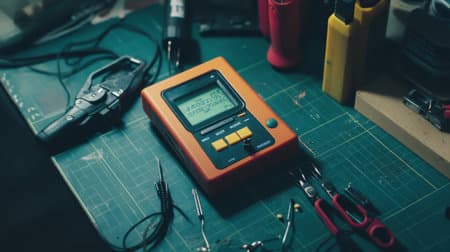
8-Port Device Server Stocked Locally
Immediate availability at Communica Samrand and branches for fast deployment.
Versatile Serial-to-Ethernet Connectivity
Connect RS-232/422/485 devices to LAN with per-port configuration and protocols.
Practical Setup and Troubleshooting Guide
Step-by-step instructions and common issue fixes to get you online quickly.
Why an 8-Port Device Server Makes Sense for Your Next Deployment
If you're managing multiple RS-232 or RS-422/485 devices - think barcode scanners, industrial sensors, point-of-sale terminals, laboratory instruments, or CNC controllers - a single-port converter quickly becomes a bottleneck. Cabling multiplies, power adapters pile up, and configuration becomes a chore. An 8-port Ethernet device server collapses all that into one compact unit: one network connection, eight serial channels, and one management interface.
For South African integrators and technicians, the challenge has always been stock availability. Waiting six weeks for a shipment from overseas stalls projects and frustrates clients. Communica holds 8-port Ethernet device servers in local inventory, so you can get your installation up and running within days - not months.
What to Look for in an 8-Port Device Server
Not all 8-port device servers are created equal. Here's what matters when you're choosing the right unit for your application - and why these specifications align with reliable, long-term performance.
Serial Port Flexibility
Check whether each port supports RS-232, RS-422, and RS-485. Some models allow per-port configuration, which is ideal if you're mixing device types. Look for built-in termination and pull-up/pull-down resistors for RS-485 - this saves you from soldering exotic resistor networks into your cabling.
Network Interface and Speed
A 10/100 Mbps Ethernet port is standard, but ensure it supports auto-MDI/MDIX so you can use straight or crossover cables. If you're planning a redundant setup, dual-LAN models allow failover - but for most labs and production lines, a single robust connection is sufficient.
Protocol Support - More Than Just TCP/UDP
The real workhorse features are the software protocols that make your devices accessible over the network. Look for support for:
- TCP Server / TCP Client / UDP - for direct socket communication with your custom applications.
- Virtual COM port drivers - for making remote serial ports appear as local COM ports on Windows, Linux, or macOS.
- RFC2217 (Telnet) - for cross-platform compatibility and easy integration with open-source tools.
- Modbus TCP/RTU gateway - if you're integrating with SCADA or PLC systems that speak Modbus.
The more protocols a device server supports, the more flexible it becomes. But avoid overpaying for features you'll never use. Match the protocol stack to your existing systems.
Management and Security
Web-based configuration is essential - nobody wants to fiddle with CLI commands in 2025. HTTPS access protects your settings, and SNMP support lets you monitor the unit from centralised network tools. If you're deploying across multiple sites, check if the device supports remote firmware upgrades.
Choosing the Right Unit: A Practical Comparison
To help you make an informed choice, here's a comparison of typical features you might encounter across Communica's stocked 8-port device servers. Note: actual specs may vary per model, so always check the product data sheet.
| Feature | Basic Model | Advanced Model |
|---|---|---|
| Serial Interface | RS-232 only | RS-232/422/485, per-port |
| Ethernet Speed | 10/100 Mbps | 10/100/1000 Mbps |
| Protocols | TCP, UDP, Virtual COM | + RFC2217, Modbus, SNMP |
| Management | Web GUI | Web GUI + CLI + SNMP |
| Mounting | Desktop | DIN-rail, rack-mountable |
For a typical lab or plant floor, the advanced model's flexibility often justifies the extra cost. But if your devices are all RS-232 and you just need to bridge them to a network, the basic model will perform admirably.
Related Connectors, Wire & Cable Products
Discover quality connectors, wire & cable products related to 8-Port Ethernet Device Server for Sale in South Africa - Local Stock at Communica

P972-0dp10 | Easyconn Profibus Connector 9 Pole Male D Sub - 9 Pole Female D Sub 90° – With Diagnostics
P972-0dp10 | Easyconn Profibus Connector 9 Pole Male D Sub - 9 Pole Female D Sub 90° – With Diagnostics

Hammond 1595egy Flame Retardent Abs Plastic Sloping Console Enclosure Box Grey
Hammond 1595egy Flame Retardent Abs Plastic Sloping Console Enclosure Box Grey

Hammond 1595ebk Sloping Console Enclosure Box - Flame Retardant Abs - Aluminium Panel - 215x130x72mm - Black
Hammond 1595ebk Sloping Console Enclosure Box - Flame Retardant Abs - Aluminium Panel - 215x130x72mm - Black

130e405032-e | Industrial Ethernet Pro Rj45 Connector Fully Shielded Cat6a 4 Pair
130e405032-e | Industrial Ethernet Pro Rj45 Connector Fully Shielded Cat6a 4 Pair

Edl Compatible With Arduino Adapter Shield V3 (tft01 Itdb02 Compatible) For Arduino Uno
Edl Compatible With Arduino Adapter Shield V3 (tft01 Itdb02 Compatible) For Arduino Uno


Acm Esp8266-esp12f Smd Breakout
Acm Esp8266-esp12f Smd Breakout

Adafruit 784 :: Usb + Serial Backpack Kit With 16x2 Rgb Backlight Negative Lcd And Rgb On Black
Adafruit 784 :: Usb + Serial Backpack Kit With 16x2 Rgb Backlight Negative Lcd And Rgb On Black

Adafruit 782 :: Usb + Serial Backpack Kit With 16x2 Rgb Backlight Positive Lcd And Black On Rgb
Adafruit 782 :: Usb + Serial Backpack Kit With 16x2 Rgb Backlight Positive Lcd And Black On Rgb

Amatec Sparrow V2 Access Control & Time And Attendance Fingerprint Indoor Reader & Rfid Card Ip54
Amatec Sparrow V2 Access Control & Time And Attendance Fingerprint Indoor Reader & Rfid Card Ip54

Arduino M000008 Blue Enclosure For Arduino Yun Development Board
Arduino M000008 Blue Enclosure For Arduino Yun Development Board

Micro Hdmi -vga Conversion Cable With Audio Output No Additional Power Source Required
Micro Hdmi -vga Conversion Cable With Audio Output No Additional Power Source Required
Step-by-Step Setup Guide for Your 8-Port Device Server
Once your unit arrives from Communica, getting it online is straightforward. Here's a practical walkthrough that will have you sending data across the network in under an hour.
- Power up the device using the included adaptor. Verify the power LED lights up.
- Connect to your network via an Ethernet cable. If you're not sure about your network setup, you can initially connect the device directly to your PC and assign a temporary IP address.
- Access the web interface - usually by typing the default IP (often 192.168.1.1) into your browser. Check the quick start guide for the exact address.
- Change the default password immediately - security first.
- Assign a static IP that fits your network's addressing scheme. This prevents the IP from changing after a reboot, which would break your software applications.
- Configure each serial port: set baud rate, data bits, parity, stop bits, and flow control to match your connected equipment. For RS-485, enable termination if the device is at the end of the line.
- Choose the operation mode: select TCP Server if your application initiates connections, TCP Client if the device should dial out, or Virtual COM if you're using a driver.
- Test communication using a simple terminal program like PuTTY. Send a command to a connected device - you should see a response.
This process is covered in detail in many product manuals, but the key is to be methodical. If you hit a snag, the Communica team can point you to the right documentation.
Troubleshooting Common Issues
Even with a reliable device, you might encounter hiccups. Here are the typical problems we see and how to resolve them.
No Connection Between PC and Device Server
Check that the device server and your PC are on the same subnet. Use the ping command to test reachability. If ping fails, check the Ethernet cable and link lights. If you're using a direct connection, you may need a crossover cable or to enable MDI-X on your PC's NIC.
Serial Data Garbled or Not Received
This usually points to mismatched serial parameters. Double-check baud rate, parity, and data bits against the connected equipment's specs. For RS-485, verify proper wiring (A/B or +/-) and that termination resistors are installed correctly. Also, check whether the device server uses DTE/DCE switching - some devices require you to set this.
Network Connection Drops Intermittently
This could be due to IP conflict or network congestion. Assign a static IP that's outside your DHCP range. If the device server is connected to a managed switch, ensure the port isn't set to 'block' unknown MACs. Check for any power-saving features on the switch that might put inactive ports to sleep.
Real-World Scenarios: Where an 8-Port Device Server Shines
Let's look at concrete situations where an 8-port unit proves its worth - and why South African businesses are adopting this technology.
University Lab Modernisation
A university electronics lab in Gauteng had 12 aging oscilloscopes with RS-232 ports. Students needed to capture data on a central server. Instead of buying new scopes, the lab installed two 8-port device servers. Now every scope is remotely accessible, and students can log in from anywhere on campus. The lab saved hundreds of thousands of rands.
Factory Floor Machine Monitoring
A packaging plant in Cape Town had PLCs and HMIs spread across three production lines. Each required serial connectivity for diagnostics. By deploying 8-port device servers centrally, the maintenance team can now access any machine's programming port from a single workstation in the control room - drastically reducing walk time and downtime.
Retail Point-of-Sale Integration
A national retail chain needed to connect card payment terminals and receipt printers at multiple registers. Using 8-port device servers, each store consolidates all its serial peripherals onto one network appliance, simplifying installation and centralising configuration. IT support can remotely adjust settings without visiting the store.
Why Buy from Communica?
Specifications are only part of the story. When you order an 8-port Ethernet device server from Communica, you get tangible benefits that make a difference in your workflow.
- Immediate stock - we carry popular 8-port models in our Samrand warehouse and at branch level. No waiting for international shipping.
- Local technical insight - our team understands the South African industrial environment and can advise on the right model for your distance, speed, and protocol requirements.
- Flexible purchasing - whether you're a hobbyist needing one unit or a procurement officer ordering fifty, we offer both retail and account-based quoting.
- Branches nationwide - collect from our Pretoria, Cape Town, or Samrand branches if you're in a hurry.
Don't let a simple connectivity gap stall your project. Browse our full product range or head to our brand index to find a device server that fits your project. With local stock, expert advice, and fast shipping, you'll be up and running sooner than you think.
Communica supplies semiconductors and electronic components to industries such as automotive, electrical, automation, mining, and education.
Disclaimer: This content is for educational purposes only. Product availability, pricing, and specifications are subject to change. Always verify current details on the retailer's website before making a purchase. We may earn affiliate commissions from qualifying purchases.


Frequently Asked Questions
Get answers to common questions about Connectors Wire And Cable
Why Choose Communica?
*Free Shipping
Free shipping for orders over ZAR 1,000.00.
7-Day Returns
Get a full refund if you had the product for less than 7 days.
Quick Delivery
Nationwide delivery within 2 - 4 working days.
