
AS-Interface User Modules in South Africa: Guide for Efficient Sensor & Actuator Networking
A comprehensive guide to AS-Interface user modules for industrial sensor/actuator networks. Explore key specs, wiring, and find local South African stock at Communica.
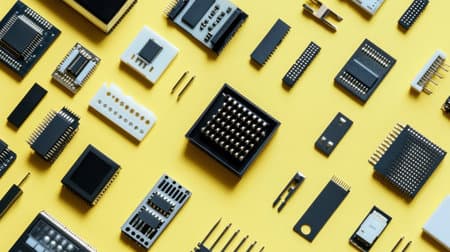
Simplified Wiring
AS-Interface user modules reduce wiring complexity for I/O in industrial fieldbus setups.
Specs & Compatibility
Understand pinouts, enclosure ratings, and connector options for your project's needs.
Local Stock & Support
Source leading brands and technical advice directly from Communica's South African network.
Overview: What Are AS-Interface User Modules?
AS-Interface (Actuator Sensor Interface, or AS-i) is a simple, cost-effective fieldbus solution for connecting sensors and actuators in industrial automation. AS-Interface user modules serve as distributed I/O blocks, providing physical interfaces for digital input and output signals directly on the AS-i yellow cable. They bridge the gap between programmable logic controllers (PLCs) and devices on the plant floor, all with minimal wiring.
South African industries - from food manufacturing to mining and process control - rely on robust, quick-to-integrate solutions to keep facilities running smoothly. AS-Interface user modules support fast, modular expansion, enabling engineers to add multiple I/O points with reduced labour and downtime.
How AS-Interface Works
- Uses a single unshielded two-wire cable for both power and data (the signature "yellow cable").
- Modules connect sensors (inputs) and actuators (outputs) via M12, cage clamp, or screw terminals.
- Deterministic cycle times (typically <5ms) ensure reliable control in distributed environments.
- User modules are addressable, supporting up to 62 devices (standard mode) or 124 (A/B mode) per network.
Core Specifications & Typical Features
Choosing the right user module begins by considering your I/O mix, protection needs, enclosure rating, and connector style. Here's a typical specification table for industrial AS-Interface user modules available in South Africa:
| Feature | Description/Range | Application Notes |
|---|---|---|
| Inputs/Outputs | Typically 4, 8, or 16 digital channels | Input-only, output-only, or mixed I/O available |
| Connector Type | M12, cage clamp, screw terminals | M12 used for IP67 environments, cage clamp for panels |
| Enclosure Rating | IP65, IP67, sometimes IP20 (panel mount) | Higher IP for dusty/wet sites (e.g. mining) |
| AS-i Protocol | V2.1 or V3.0 | Check PLC/master spec for compatibility |
| Power Supply | From AS-i rail (30 V DC typical) | Up to 8 W total; outputs may require AUX power |
Communica offers locally stocked user modules and I/O expanders from recognised global manufacturers, including ABB, Phoenix Contact, and Pepperl+Fuchs. Lead times are often immediate for common variants, with shipment to branch or collection at Samrand, Pretoria, or Cape Town locations.
Form Factors & Mounting Styles
- Field IP67 blocks for direct machine mounting
- Panel-mount IP20 modules for electrical cabinets
- Ultra-compact designs for restricted space layouts
Related Sensors & Semiconductors Products
Discover quality sensors & semiconductors products related to AS-Interface User Modules in South Africa: Guide for Efficient Sensor & Actuator Networking

P972-0dp10 | Easyconn Profibus Connector 9 Pole Male D Sub - 9 Pole Female D Sub 90° – With Diagnostics
P972-0dp10 | Easyconn Profibus Connector 9 Pole Male D Sub - 9 Pole Female D Sub 90° – With Diagnostics

57pc40500 | Female 50 Way Straight Pcb Centronics
57pc40500 | Female 50 Way Straight Pcb Centronics

57f60360 | Socket Delta 36 Way For Flat Cable
57f60360 | Socket Delta 36 Way For Flat Cable

5720500 | Connector Centronic 50p Female Solder Straight No Hood
5720500 | Connector Centronic 50p Female Solder Straight No Hood

Siemens | 3uf7010-1au00-0 | Basic Unit Simocode Pro V Pb Profibus Dp Interface 12 Mbps
Siemens | 3uf7010-1au00-0 | Basic Unit Simocode Pro V Pb Profibus Dp Interface 12 Mbps

130e405032-e | Industrial Ethernet Pro Rj45 Connector Fully Shielded Cat6a 4 Pair
130e405032-e | Industrial Ethernet Pro Rj45 Connector Fully Shielded Cat6a 4 Pair

5730500 | Cable Type Centronic Male Connector • 50 Way • Solder Terminals
5730500 | Cable Type Centronic Male Connector • 50 Way • Solder Terminals

5730140 | Cable Type Centronic Male Connector • 14 Way • Solder Terminals
5730140 | Cable Type Centronic Male Connector • 14 Way • Solder Terminals

Acm Esp8266-esp12f Smd Breakout
Acm Esp8266-esp12f Smd Breakout

Adafruit 784 :: Usb + Serial Backpack Kit With 16x2 Rgb Backlight Negative Lcd And Rgb On Black
Adafruit 784 :: Usb + Serial Backpack Kit With 16x2 Rgb Backlight Negative Lcd And Rgb On Black

Adafruit 782 :: Usb + Serial Backpack Kit With 16x2 Rgb Backlight Positive Lcd And Black On Rgb
Adafruit 782 :: Usb + Serial Backpack Kit With 16x2 Rgb Backlight Positive Lcd And Black On Rgb

Arduino K000007 Starter Kit Walks You Through The Basics Of Using The Arduino In A Hands-on Way
Arduino K000007 Starter Kit Walks You Through The Basics Of Using The Arduino In A Hands-on Way
Selection Criteria for South African Projects
When choosing an AS-Interface user module for your automation design, weigh the following:
- I/O Requirements: Total inputs/outputs needed per location. Opt for higher density modules to simplify cabling in clustered areas.
- Ingress Protection (IP) Rating: Match the module's enclosure protection to your local site (e.g., washdown, dusty or outdoor environments common in SA food, bottling, and mining).
- Connector Style: For retrofit or easy swap-out, M12 connectors offer fast plug-and-play; for panels, cage clamps save time and tools.
- Protocol Version: Ensure compatibility with your AS-i master, especially where legacy or mixed protocol versions are deployed.
- Power Budget: Assess total load, especially when driving actuators. Auxiliary 24V DC supply may be required for higher output loads.
- Local Stock & Support: Check availability at Communica branches to avoid downtime, and request bulk or education quotes as needed.
Wiring Example: AS-Interface User Module
AS-i 'Yellow' Bus Cable
|------------------------|
|  User Module (4DI/4DO) |
|      |   |   |         |
|  [M12] [M12] [M12]     |
|   |     |     |        |
| Sensors Actuators      |
|                        |
+------------------------+
In a typical conveyor system, each belt station can be retrofitted with a block module to collect sensor status and output control, slashing wiring runs and reducing termination faults. Calculation example:
8 x 90 mA = 720 mA total output draw. Ensure your power injection and auxiliary supply meet this load.
Practical Buying Considerations in South Africa
- Shop frequent brands at Communica, including ABB and Pepperl+Fuchs, under Shop by Brand.
- Check category stock for quick branch collection or VAT-quoted orders (ideal for tertiary/technical colleges).
- Bulk quantities for plant upgrades can be requested with a quote, supporting faster rollout and tested batch consistency.
Troubleshooting & Maintenance Tips
- Use diagnostic LEDs on modules for fast fault location (power, bus, IO status).
- Double-check A/B addressing if modules aren't detected on a mixed-version network.
- Visually inspect for cable wear or loose M12 connectors, especially in vibration-prone SA factory environments.
- Isolate AUX supply issues if outputs aren't switching; verify master config and wiring polarity.
With AS-Interface user modules and local Communica support, plant teams in South Africa can implement robust, scalable I/O bus systems with short lead times and practical field support.
Sources
Communica supplies semiconductors and electronic components to industries such as automotive, electrical, automation, mining, and education.
Disclaimer: This content is for educational purposes only. Product availability, pricing, and specifications are subject to change. Always verify current details on the retailer's website before making a purchase. We may earn affiliate commissions from qualifying purchases.


Frequently Asked Questions
Get answers to common questions about Sensors And Semiconductors
Why Choose Communica?
*Free Shipping
Free shipping for orders over ZAR 1,000.00.
7-Day Returns
Get a full refund if you had the product for less than 7 days.
Quick Delivery
Nationwide delivery within 2 - 4 working days.
