
2-Port Ethernet Device Server Price in South Africa: Local Stock & Expert Configuration Guide
Get a 2-port Ethernet device server at a competitive price in South Africa. Local stock, expert advice, and fast dispatch. Config for Modbus TCP and more.
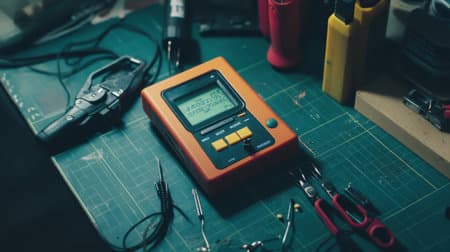
Local stock, competitive pricing
Check live availability and request quotes for 2-port Ethernet device servers at Communica's SA branches.
Practical configuration tips
Learn how to set up your device server for Modbus TCP, Virtual COM, and secure tunneling.
Right model for your needs
Compare specs like port type, speed, and power to select the ideal device server for your project.
Why a 2-Port Ethernet Device Server Makes Sense for Your Network
When you need to bring two serial devices-like barcode scanners, PLCs, or industrial sensors-onto your Ethernet network, a 2-port Ethernet device server is a compact, cost-effective solution. Instead of buying two separate single-port converters, you get two independent channels in one enclosure, saving rack space and simplifying cabling. At Communica, we stock a range of these versatile adapters from trusted brands, at prices that reflect their no-fuss functionality.
For South African engineers and integrators, the real advantage is local availability. No waiting weeks for international courier deliveries-our shelves in Samrand, Pretoria, and Cape Town hold units ready for immediate collection or fast dispatch. Plus, you can request a formal quote for VAT invoices or bulk project pricing, making procurement straightforward for business or education.
What to Look for When Comparing Prices
Price isn't just the ticket price. Consider the total cost of ownership: does the unit include a power supply? Are mounting brackets provided? What's the warranty period? With Communica, you'll see clear specifications on every product page, so you can compare features like baud rates, interface type (RS232, RS485, or RS422), and network protocols. Often, a slightly higher upfront cost buys you industrial-grade reliability that saves on downtime later.
Explore our full product index to see what's in stock, and use the Request a Quote feature for bulk or educational pricing.
Configuration Guide: Getting Your 2-Port Device Server Online
After you've selected your device server, the next step is integration. Here's a practical walkthrough for typical setups, focusing on Modbus TCP bridging-a common requirement for both industrial and maker projects.
Step 1: Physical Connections
Connect your serial device to the device server's COM ports using the correct serial cable (DB9 straight or crossover). Attach the device server to your network via an Ethernet cable, and power it up. Many models support Power over Ethernet (PoE), which simplifies installation if your switch provides it.
PC/PLC (Ethernet) <-> [Device Server] <-> (RS232) <-> Sensor A
                    \- (RS485) <-> Meter B
Step 2: IP Address Assignment
Use the device server's utility software to find it on your network and assign a static IP. This prevents address conflicts and ensures consistent access. Pick an IP outside your DHCP scope, but on the same subnet as your controllers.
Step 3: Configuring Serial Ports
For each port, set the baud rate, data bits, stop bits, and parity to match your connected device. For Modbus RTU over RS485, you'll also need to set the master/slave addressing correctly. Most device servers have a web interface where you can enter these parameters and save them to internal memory.
Step 4: Modbus TCP Bridging
Enable Modbus TCP-to-RTU/ASCII conversion on the device server. This allows your Modbus TCP client (like a SCADA system or Node-RED dashboard) to read data from the serial Modbus slaves. Typically, you'll map each serial port to a TCP server port number (e.g., 502 for Modbus), and the device server handles the protocol translation automatically.
For more ideas on how to use such adapters in automation, browse our collections for robotics, IoT, and industrial components.
Related Connectors, Wire & Cable Products
Discover quality connectors, wire & cable products related to 2-Port Ethernet Device Server Price in South Africa: Local Stock & Expert Configuration Guide

Edl Compatible With Arduino Adapter Shield V3 (tft01 Itdb02 Compatible) For Arduino Uno
Edl Compatible With Arduino Adapter Shield V3 (tft01 Itdb02 Compatible) For Arduino Uno


P972-0dp10 | Easyconn Profibus Connector 9 Pole Male D Sub - 9 Pole Female D Sub 90° – With Diagnostics
P972-0dp10 | Easyconn Profibus Connector 9 Pole Male D Sub - 9 Pole Female D Sub 90° – With Diagnostics

Hammond 1595egy Flame Retardent Abs Plastic Sloping Console Enclosure Box Grey
Hammond 1595egy Flame Retardent Abs Plastic Sloping Console Enclosure Box Grey

Hammond 1595ebk Sloping Console Enclosure Box - Flame Retardant Abs - Aluminium Panel - 215x130x72mm - Black
Hammond 1595ebk Sloping Console Enclosure Box - Flame Retardant Abs - Aluminium Panel - 215x130x72mm - Black

130e405032-e | Industrial Ethernet Pro Rj45 Connector Fully Shielded Cat6a 4 Pair
130e405032-e | Industrial Ethernet Pro Rj45 Connector Fully Shielded Cat6a 4 Pair

Acm Esp8266-esp12f Smd Breakout
Acm Esp8266-esp12f Smd Breakout

Adafruit 784 :: Usb + Serial Backpack Kit With 16x2 Rgb Backlight Negative Lcd And Rgb On Black
Adafruit 784 :: Usb + Serial Backpack Kit With 16x2 Rgb Backlight Negative Lcd And Rgb On Black

Adafruit 782 :: Usb + Serial Backpack Kit With 16x2 Rgb Backlight Positive Lcd And Black On Rgb
Adafruit 782 :: Usb + Serial Backpack Kit With 16x2 Rgb Backlight Positive Lcd And Black On Rgb

Amatec Sparrow V2 Access Control & Time And Attendance Fingerprint Indoor Reader & Rfid Card Ip54
Amatec Sparrow V2 Access Control & Time And Attendance Fingerprint Indoor Reader & Rfid Card Ip54

Arduino M000008 Blue Enclosure For Arduino Yun Development Board
Arduino M000008 Blue Enclosure For Arduino Yun Development Board

Micro Hdmi -vga Conversion Cable With Audio Output No Additional Power Source Required
Micro Hdmi -vga Conversion Cable With Audio Output No Additional Power Source Required
Troubleshooting Common Issues
Even with plug-and-play intentions, you may hit a snag. Here are frequent hiccups and how to resolve them:
- Can't find the device server on the network: Try a direct Ethernet connection to your PC with a known IP in the same subnet. Check link LEDs and power indicators.
- No serial communication: Double-check TX/RX wiring-many serial cables are crossover by default. Verify baud rate and parity match the target device.
- Modbus TCP timeouts: Ensure the device server's IP and port are correctly set on the client side. Test with a simple Modbus scanner tool to isolate the issue.
- Firmware updates: If you encounter odd behavior, update to the latest firmware from the manufacturer-older versions may have bugs.
For those looking to expand their network, understanding how these devices fit into a larger ecosystem is key. Our about us page shows how we support these projects from start to finish.
Why Choose Communica for Your Device Server Purchase?
Beyond competitive pricing, we offer benefits that make the difference: dedicated technical advice from our staff, who understand both the maker and industrial markets; branch collection options to save on shipping; and the ability to request a formal quote with VAT breakdown for corporate procurement. Plus, with our extensive range of serial cables, power supplies, and enclosures, you'll find every accessory for a complete installation.
Understanding Your Options: Port Configurations
While 2-port models are the sweet spot for many, some projects may need a 1-port adapter for simplicity, or 4 or more ports for larger systems. Knowing your device count and physical layout helps narrow down the choice. Our team can guide you through the differences, ensuring you don't overpay for unneeded capacity.
If you're also working on other aspects of your automation setup, like sensors or controllers, explore our shop by brand page to see which manufacturers we carry.
Ready to Get Connected?
You've seen the value, the configuration steps, and the advantages of buying locally. Now it's time to act. Visit our branches and trading hours page to find the nearest store, or browse our full product range to see stock levels. For bulk orders or specific technical questions, use the “Request a Quote” option on the product page-our team is ready to help you make the right choice.
Communica supplies semiconductors and electronic components to industries such as automotive, electrical, automation, mining, and education.
Disclaimer: This content is for educational purposes only. Product availability, pricing, and specifications are subject to change. Always verify current details on the retailer's website before making a purchase. We may earn affiliate commissions from qualifying purchases.


Frequently Asked Questions
Get answers to common questions about Connectors Wire And Cable
Why Choose Communica?
*Free Shipping
Free shipping for orders over ZAR 1,000.00.
7-Day Returns
Get a full refund if you had the product for less than 7 days.
Quick Delivery
Nationwide delivery within 2 - 4 working days.
