
Install Serial to Ethernet Converters in Server Racks: Best Practices for Johannesburg Deployments
Install serial-to-Ethernet converters in server racks like a pro: learn mounting, cabling, and configuration tips. Buy locally in Johannesburg from Communica.
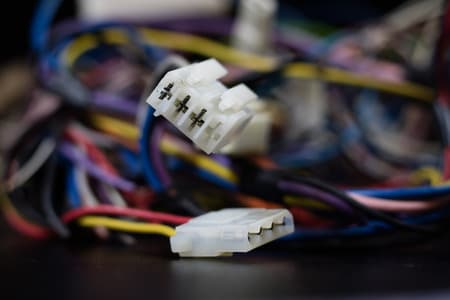
Mount for Airflow and Access
Place converters on DIN rails or shelves where LEDs are visible and airflow is clear.
Use Twisted-Pair and Isolation
Twisted-pair cable and galvanic isolation prevent ground loops and data errors.
Configure IP and Test Thoroughly
Set static IP, match baud settings, and run loopback tests before final mounting.
Why Serial-to-Ethernet Conversion Is a Rack-Mount Essential
In any Johannesburg server room, legacy serial devices - barcode scanners, HVAC controllers, UPS units, or industrial PLCs - often sit far from the network switch. Rather than running long, fragile RS232 cables, a 1-port RS485/RS422/RS232 to Ethernet converter bridges the gap, letting you manage those devices over IP from anywhere on your LAN. But the way you install that converter in your rack determines whether it becomes a silent workhorse or a recurring fault point.
At Communica, we supply a wide range of serial-to-Ethernet converters, from compact DIN-rail models to rack-mountable units. With branches in Samrand, Pretoria, and Cape Town - and fast delivery to Johannesburg - you can get the right unit without waiting weeks for an overseas shipment.
Rack Placement: Think Heat, Airflow, and Accessibility
Where Should the Converter Sit?
Unlike a switch or server, serial converters generate minimal heat. But they still need airflow and physical protection. Mount them in a spot that’s easy to reach - you’ll likely need to fiddle with DIP switches or serial cables when reconfiguring. Avoid the very bottom of the rack where dust accumulates, and keep them away from power supplies that radiate heat.
DIN-Rail vs. Rack-Mount vs. Desktop
Most 1-port converters are small DIN-rail devices. If your rack already has DIN rails on the sides or rear, use them - they keep the converter out of the way and allow neat wiring. For a more permanent installation, consider a small shelf or a rack-mount panel that holds multiple converters. Whatever you choose, ensure the converter’s LED indicators remain visible; you’ll want to check link and activity status without pulling everything out.
Cabling: The Silent Killer of Serial Installations
Twisted Pair vs. Flat Cable
For RS485 and RS422, always use twisted-pair cable. The twisting cancels common-mode interference, which is critical over longer runs. Even for short distances inside a rack, twisted pair is better than flat ribbon. For RS232, shielded cable is preferrable, though distances are short anyway.
Grounding and Isolation
In industrial environments - think factories in Gauteng - you often have ground potential differences between devices. Choose a converter with built-in isolation (e.g., 2kV isolation) to avoid ground loops that can damage both the converter and the attached equipment. Make sure the converter’s metal casing is grounded via the DIN rail or a dedicated ground screw.
Configuration: IP Address, Baud Rate, and Data Format
Before you physically mount the converter, configure it via its web interface or a utility. Set a static IP address that aligns with your network’s VLAN structure - avoid DHCP for equipment that must be reachable at a known address. Ensure the baud rate, parity, data bits, and stop bits exactly match the serial device. A mismatch is a common cause of garbled data.
Most converters offer a “virtual COM” mode, which makes the remote serial port appear as a local COM port on your PC - perfect for legacy software. For alternatives, consider TCP server, TCP client, or UDP modes. Choose TCP client if the converter initiates the connection to a central server, which is often more secure.
Related Connectors, Wire & Cable Products
Discover quality connectors, wire & cable products related to Install Serial to Ethernet Converters in Server Racks: Best Practices for Johannesburg Deployments

P972-0dp10 | Easyconn Profibus Connector 9 Pole Male D Sub - 9 Pole Female D Sub 90° – With Diagnostics
P972-0dp10 | Easyconn Profibus Connector 9 Pole Male D Sub - 9 Pole Female D Sub 90° – With Diagnostics

Hammond 1595egy Flame Retardent Abs Plastic Sloping Console Enclosure Box Grey
Hammond 1595egy Flame Retardent Abs Plastic Sloping Console Enclosure Box Grey

Hammond 1595ebk Sloping Console Enclosure Box - Flame Retardant Abs - Aluminium Panel - 215x130x72mm - Black
Hammond 1595ebk Sloping Console Enclosure Box - Flame Retardant Abs - Aluminium Panel - 215x130x72mm - Black

130e405032-e | Industrial Ethernet Pro Rj45 Connector Fully Shielded Cat6a 4 Pair
130e405032-e | Industrial Ethernet Pro Rj45 Connector Fully Shielded Cat6a 4 Pair

Edl Compatible With Arduino Adapter Shield V3 (tft01 Itdb02 Compatible) For Arduino Uno
Edl Compatible With Arduino Adapter Shield V3 (tft01 Itdb02 Compatible) For Arduino Uno


Acm Esp8266-esp12f Smd Breakout
Acm Esp8266-esp12f Smd Breakout

Adafruit 784 :: Usb + Serial Backpack Kit With 16x2 Rgb Backlight Negative Lcd And Rgb On Black
Adafruit 784 :: Usb + Serial Backpack Kit With 16x2 Rgb Backlight Negative Lcd And Rgb On Black

Adafruit 782 :: Usb + Serial Backpack Kit With 16x2 Rgb Backlight Positive Lcd And Black On Rgb
Adafruit 782 :: Usb + Serial Backpack Kit With 16x2 Rgb Backlight Positive Lcd And Black On Rgb

Amatec Sparrow V2 Access Control & Time And Attendance Fingerprint Indoor Reader & Rfid Card Ip54
Amatec Sparrow V2 Access Control & Time And Attendance Fingerprint Indoor Reader & Rfid Card Ip54

Arduino M000008 Blue Enclosure For Arduino Yun Development Board
Arduino M000008 Blue Enclosure For Arduino Yun Development Board

Micro Hdmi -vga Conversion Cable With Audio Output No Additional Power Source Required
Micro Hdmi -vga Conversion Cable With Audio Output No Additional Power Source Required
Testing and Troubleshooting: Get It Right the First Time
Loopback Tests
After installation, run a loopback test: short the TX and RX pins on the serial side and send data through the converter. If you see the echo back, the converter is working. If not, recheck wiring polarity - RS485 is polarity-sensitive, and swapping A and B is a classic mistake.
Check the LEDs
Most converters have a PWR LED, a link/activity LED for Ethernet, and serial LEDs that blink during data transmission. If the Ethernet link is solid but serial LEDs don’t blink, the issue is on the serial side. If the Ethernet LED is off, check the cable and switch port.
Common Issues in Johannesburg Installations
- Power fluctuations: Use a quality power supply with surge protection - the grid in SA can be erratic. Many converters accept 9-30VDC, so you can power them from a stable 12V or 24V supply.
- Long cable runs: RS485 can run up to 1200m, but only at lower baud rates. For distances over 100m, use proper termination resistors (120 ohms) at both ends of the cable.
- Firewall and IP conflicts: Ensure your converter’s IP is outside your DHCP pool and that any firewall rules allow the specific port number you’ve assigned.
Why Buy from Communica?
When you’re planning a rack install, you don’t want to wait weeks for overseas stock. Communica keeps a wide range of serial converters and accessories locally. Our team can advise on the right model based on your distance, baud rate, and isolation needs. Plus, you can collect from one of our branches in Pretoria or Cape Town, or we can deliver to Johannesburg within a day.
For procurement teams, we provide VAT invoices and account quotes to simplify your purchasing process. Explore our full product range to find the converter that matches your specs. Need help choosing? Check our brand selection for trusted names like Moxa, Advantech, and Atop.
Get Your Converter Today
A well-installed serial-to-Ethernet converter will give you years of reliable service. Avoid the frustration of failed connections and downtime by following these best practices and sourcing your equipment from a supplier that actually has stock and technical support.
Visit our branches page to find a location near you, or request a quote from our sales team. We’re ready to help you build a more connected, efficient server room.
Communica supplies semiconductors and electronic components to industries such as automotive, electrical, automation, mining, and education.
Disclaimer: This content is for educational purposes only. Product availability, pricing, and specifications are subject to change. Always verify current details on the retailer's website before making a purchase. We may earn affiliate commissions from qualifying purchases.


Frequently Asked Questions
Get answers to common questions about Connectors Wire And Cable
Why Choose Communica?
*Free Shipping
Free shipping for orders over ZAR 1,000.00.
7-Day Returns
Get a full refund if you had the product for less than 7 days.
Quick Delivery
Nationwide delivery within 2 - 4 working days.
